Update 2026-01-12 new V2.2 beta release availabel in HACS
A Home Assistant rain radar card using the tiled images from RainViewer




Help support development with a donation!

This card uses map tiles of radar data provided by RainViewer. This allows for one continuous map that can be zoomed and panned seamlessly. This card allows this to be displayed within Home Assistant. The card allows you create radar loops of up to at least 24 hours.
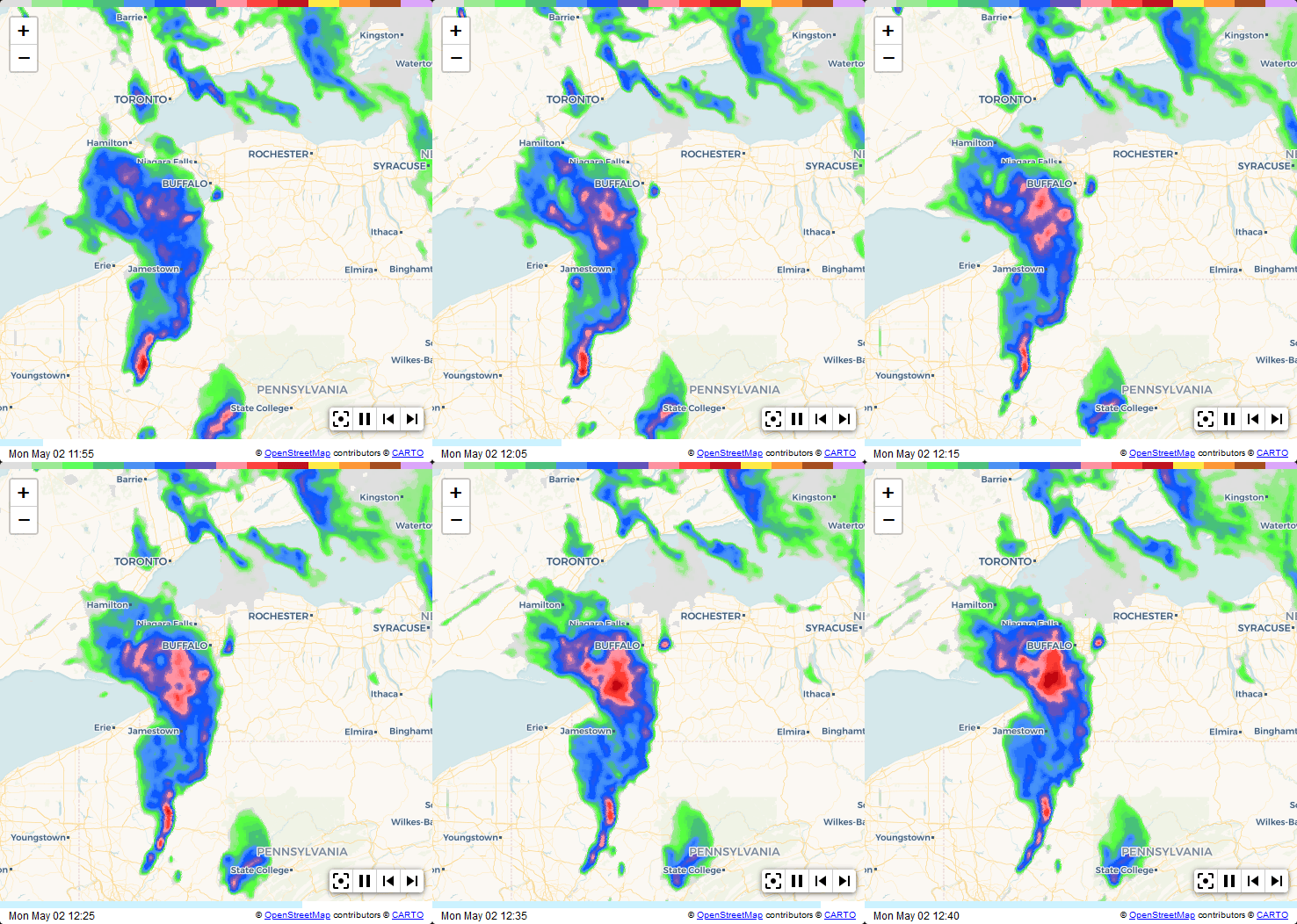
All of the options below can be selected using the GUI config editor, there is no need to edit the yaml config directly.
| Name | Type | Requirement | Description | Default |
|---|---|---|---|---|
| type | string | Required | must be 'custom:weather-radar-card' |
|
| card_title | string | Optional | The title to display on the card | no title displayed |
| data_source | string | Optional | Specifies whcih set of radar tiles to use | 'RainViewer-Original' see section below for valid values |
| map_style | string | Optional | Specifies the style for the map | 'light' see section below for valid values |
| zoom_level | number | Optional | The initial zoom level, can be from 4 to 10 | 7 |
| center_latitude | number / string / object | Optional | The initial center latitude of the map (see Location Coordinates below) | the location of your HA instance |
| center_longitude | number / string / object | Optional | The initial center longitude of the map (see Location Coordinates below) | the location of your HA instance |
| marker_latitude | number / string / object | Optional | The latitude for the home icon if enabled (see Location Coordinates below) | the same as center_latitude |
| marker_longitude | number / string / object | Optional | The longitude for the home icon if enabled (see Location Coordinates below) | the same as center_longitude |
| mobile_center_latitude | number / string / object | Optional | NEW Mobile override for center latitude (see Mobile Device Overrides below) | not set (uses center_latitude) |
| mobile_center_longitude | number / string / object | Optional | NEW Mobile override for center longitude (see Mobile Device Overrides below) | not set (uses center_longitude) |
| mobile_marker_latitude | number / string / object | Optional | NEW Mobile override for marker latitude (see Mobile Device Overrides below) | not set (uses marker_latitude) |
| mobile_marker_longitude | number / string / object | Optional | NEW Mobile override for marker longitude (see Mobile Device Overrides below) | not set (uses marker_longitude) |
| frame_count | number | Optional | The number of frames to use in the loop | 10 |
| frame_delay | number | Optional | The number of milliseconds to show each frame | 500 |
| restart_delay | number | Optional | The additional number of milliseconds to show the last frame | 1000 |
| static_map | boolean | Optional | Set to true to disable all panning and zooming | false |
| show_zoom | boolean | Optional | Show the zoom controls in the top left corner | false |
| square_map | boolean | Optional | Will keep the map square (not in panel mode) | false |
| height | string | Optional | NEW Custom card height using CSS units (e.g., '400px', '50vh'). Overrides panel mode and square_map calculations. | auto |
| width | string | Optional | NEW Custom card width using CSS units (e.g., '500px', '80%') | '100%' |
| show_marker | boolean | Optional | Show the home icon at the marker position | false |
| show_playback | boolean | Optional | Show the playback controls in the bottom right toolbar | false |
| show_recenter | boolean | Optional | Show the re-center control in the bottom right toolbar | false |
| show_scale | boolean | Optional | Show a scale in the bottom left corner | false |
| show_range | boolean | Optional | Show range rings around marker position | false |
| extra_labels | boolean | Optional | Show more town labels (labels become smaller) | false |
The RainViewer tiles are updated every 5 minutes with a lag of just one minute (ie. the most recent image is between 1 and 6 minutes old). The valid values for this field are:
- RainViewer-Original
- RainViewer-UniversalBlue
- RainViewer-TITAN
- RainViewer-TWC
- RainViewer-Meteored
- RainViewer-NEXRAD
- RainViewer-Rainbow
- RainViewer-DarkSky
Specifies the style of map to use. Valid values are:
- light
- dark
- voyager
- satellite
These are based off the Carto and ESRI map styles that are available.
The card supports three ways to specify latitude and longitude values for both center and marker positions:
Use a fixed coordinate value:
center_latitude: -25.567607
center_longitude: 152.930597
This is the traditional method and maintains full backwards compatibility.
Use an entity ID as a string. The card will automatically use the entity's latitude and longitude attributes:
marker_latitude: "device_tracker.my_phone"
marker_longitude: "device_tracker.my_phone"
This works with any entity that has latitude and longitude attributes, including:
device_tracker.*entitiesperson.*entitieszone.*entities- Any sensor with location attributes
For entities with non-standard attribute names:
marker_latitude:
  entity: sensor.custom_location
  latitude_attribute: custom_lat
marker_longitude:
  entity: sensor.custom_location
  longitude_attribute: custom_lon
IMPORTANT: Coordinates are resolved when the card renders. Live updates are not supported - reload the card or refresh the page to update entity-based coordinates.
If an entity doesn't exist or lacks the required attributes, the card will:
- Log a warning to the browser console
- Fall back to the Home Assistant instance location (or center coordinates for markers)
- Continue to render normally
When accessed from a mobile device, you can use different coordinates than on desktop. This is useful for showing your home location on desktop while showing your current device location on mobile.
The card detects mobile devices by checking:
- Home Assistant Companion app user agent (most reliable)
- Mobile user agent strings (Android, iPhone, etc.)
- Screen width (mobile if 768px or narrower)
Mobile override fields:
mobile_center_latitude- Override for center latitude on mobilemobile_center_longitude- Override for center longitude on mobilemobile_marker_latitude- Override for marker latitude on mobilemobile_marker_longitude- Override for marker longitude on mobile
If mobile overrides are not specified, the base coordinates are used on all devices.
This is the configuration used to generate the radar loop on this page.
type: 'custom:weather-radar-card'
frame_count: 10
center_latitude: -25.567607
center_longitude: 152.930597
marker_latitude: -26.175328
marker_longitude: 152.653189
show_marker: true
show_range: true
show_zoom: true
show_recenter: true
show_playback: true
zoom_level: 8
This will display a radar for the whole of Australia showing the previous 24 hours of radar images with a 100mSec delay between frames.
type: 'custom:weather-radar-card'
frame_count: 144
frame_delay: 100
marker_latitude: -33.857058
marker_longitude: 151.215179
show_marker: true
show_range: false
This example shows how to set custom dimensions for the card.
type: 'custom:weather-radar-card'
height: '400px'
width: '600px'
show_marker: true
show_playback: true
zoom_level: 7
This example shows how to use mobile device overrides - desktop shows your home location while mobile shows your device's current location.
type: 'custom:weather-radar-card'
center_latitude: -25.567607
center_longitude: 152.930597
mobile_center_latitude: "device_tracker.my_phone"
mobile_center_longitude: "device_tracker.my_phone"
show_marker: true
show_range: true
zoom_level: 8
This example tracks a person entity's location on all devices.
type: 'custom:weather-radar-card'
center_latitude: "person.john"
center_longitude: "person.john"
marker_latitude: "person.john"
marker_longitude: "person.john"
show_marker: true
show_range: true
show_recenter: true
zoom_level: 9
This example uses entity references with custom attribute names.
type: 'custom:weather-radar-card'
marker_latitude:
  entity: sensor.custom_location
  latitude_attribute: custom_lat
marker_longitude:
  entity: sensor.custom_location
  longitude_attribute: custom_lon
show_marker: true
zoom_level: 10If you use HACS, the card is now part of the default HACS store.
If you don't use HACS (seriously you should as it makes life so much easier), you can download the required files from latest releases. Drop all of the files in www/community/weather-radar-card folder in your config directory. It should look like this:
    └── ...
    └── configuration.yaml
    └── www
        └── community
            └── weather-radar-card
                └── weather-radar-card.js
                └── home-circle-dark.svg
                └── home-circle-light.svg
                └── leaflet.css
                └── leaflet.js
                └── leaflet.toolbar.min.css
                └── leaflet.toolbar.min.js
                └── pause.png
                └── play.png
                └── radar-colour-bar-darksky.png
                └── radar-colour-bar-meteored.png
                └── radar-colour-bar-nexrad.png
                └── radar-colour-bar-original.png
                └── radar-colour-bar-rainbow.png
                └── radar-colour-bar-titan.png
                └── radar-colour-bar-twc.png
                └── radar-colour-bar-universalblue.png
                └── recenter.png
                └── skip-back.png
                └── skip-next.png
Next add the following entry in lovelace configuration:
resources:
  - url: /local/community/weather-radar-card/weather-radar-card.js
type: moduleSee CHANGELOG.md for a complete history of changes to this project.


