dirplot metrics scans a directory tree and prints a structured text summary — file/dir counts, total size, depth, scan time, top extensions (by count or size), and the largest files and directories with their percentage of total size. It accepts the same sources as dirplot map.
# Local directory
dirplot metrics .
dirplot metrics /path/to/project

# Sort top extensions by total bytes instead of file count
dirplot metrics . --sort-by size

# Limit each list to 5 entries
dirplot metrics . --top 5

# JSON output — pipe into jq or scripts
dirplot metrics . --json
dirplot metrics . --json | jq '.largest_files'
dirplot metrics . --json | jq '.top_extensions[] | select(.ext == ".py")'

# Remote sources — identical to map
dirplot metrics github://pallets/flask
dirplot metrics github://torvalds/linux --depth 3 --sort-by size
dirplot metrics s3://my-bucket --no-sign
dirplot metrics ssh://alice@prod.example.com/var/www
dirplot metrics docker://my-container:/app
dirplot metrics project.zip

# Exclude directories
dirplot metrics . -e .venv -e .git

# Get treemap and metrics in a single pass
dirplot map . --metrics --no-showdirplot diff compares two trees and renders a treemap with colour-coded diff borders. A and B accept any source supported by dirplot map — local directories, GitHub repos, archives, S3 paths, SSH hosts, Docker containers, or Kubernetes pods.
When a source is a local git or hg repository, only tracked files are scanned (untracked files are invisible, matching git diff / hg diff semantics). Change detection uses blob hash comparison, so edits that don't change file size are caught correctly. Git LFS files are handled transparently.
@ref syntax — append @<ref> to any local path or GitHub URL to pin it to a specific commit, tag, or branch. Works with commit SHAs, tag names, and branch names:
dirplot diff .@HEAD~5 .@HEAD           # last 5 commits
dirplot diff .@abc1234 .@def5678       # two commit SHAs
dirplot diff .@v1.0 .@v2.0             # two tags in the current repo
# Uncommitted changes in the current repo (single-argument shorthand)
dirplot diff .
dirplot diff /path/to/repo
# Uncommitted changes — only show changed files
dirplot diff . --no-context
# Compare two commits in the current repo
dirplot diff .@HEAD~5 .@HEAD
# Local directories (non-git)
dirplot diff old/ new/
# Save to file without opening a viewer
dirplot diff old/ new/ --output diff.png --no-show
# Show only changed/added/removed files (hide unchanged context)
dirplot diff old/ new/ --no-context
# Two GitHub tags
dirplot diff github://owner/repo@v1.0 github://owner/repo@v2.0
# Two GitHub commits
dirplot diff github://owner/repo@abc1234 github://owner/repo@def5678
# Two GitHub tags — private repo
dirplot diff github://my-org/private@v1 github://my-org/private@v2 \
--github-token-file ~/.github-token
# Two archives
dirplot diff release-1.0.tar.gz release-2.0.tar.gz
# S3 prefix vs local directory
dirplot diff s3://my-bucket/v1 ./v2 --aws-profile prod
# Two SSH paths
dirplot diff ssh://alice@host/srv/v1 ssh://alice@host/srv/v2
# Docker containers (baseline vs new image)
dirplot diff docker://app-v1:/app docker://app-v2:/appdirplot can scan directory trees on remote sources (remote servers via SSH, AWS S3 buckets, GitHub repositories, Docker containers, and Kubernetes pods) without copying files locally. Remote backends are optional dependencies — install only what you need.
Warning: Remote trees can contain hundreds of thousands of files. Use
--depth Nto limit how far down the tree dirplot recurses until you have a feel for the size of the target. Start with--depth 3.
Tip: If one large file (a binary, dataset, or build artifact) dominates the layout and squashes everything else into tiny slivers, add
--log-scale 4to use log-scaled file sizes instead — this makes small files much more visible. The value controls the max/min layout-size ratio after compression:--log-scale 4means the largest file's tile is at most 4× the smallest. Values in the range 2–10 are most useful.
Scan hosts reachable over SSH using paramiko.
pip install "dirplot[ssh]"# ssh://user@host/path format
dirplot map ssh://alice@prod.example.com/var/www
# SCP-style user@host:/path format
dirplot map alice@prod.example.com:/var/www
# Exclude paths, cap depth, save to file
dirplot map ssh://alice@prod.example.com/var --exclude /var/cache --depth 4 --output remote.png --no-showCredentials are resolved in this order:
--ssh-key PATH— explicit private key fileIdentityFilefrom~/.ssh/configfor the target host- ssh-agent (picked up automatically)
--ssh-password-file FILE— file containing the SSH password- Interactive password prompt as a last resort
~/.ssh/config is read automatically. Host aliases, custom ports, and IdentityFile directives all work as expected:
Host prod
    HostName prod.example.com
    User alice
    IdentityFile ~/.ssh/prod_key
    Port 2222
dirplot map ssh://prod/var/www # resolves using the config block above| Flag | Default | Description |
|---|---|---|
--ssh-key |
~/.ssh/id_rsa |
Path to SSH private key |
--ssh-password-file |
— | File containing SSH password |
--depth |
unlimited | Maximum recursion depth |
Note: The programmatic Python API is still evolving and may change between releases without notice. Pin a specific version if you depend on it. The CLI interface is stable.
from dirplot.ssh import connect, build_tree_ssh
from dirplot.render_png import create_treemap

client = connect("prod.example.com", "alice", ssh_key="~/.ssh/prod_key")
sftp = client.open_sftp()
try:
    root = build_tree_ssh(sftp, "/var/www", depth=5)
finally:
    sftp.close()
    client.close()

buf = create_treemap(root, width_px=1920, height_px=1080)Scan S3 buckets using boto3. File sizes come from S3 object metadata — no data is downloaded.
pip install "dirplot[s3]"# Scan a bucket prefix
dirplot map s3://my-bucket/path/to/prefix
# Scan an entire bucket
dirplot map s3://my-bucket
# Public bucket (no AWS credentials needed)
dirplot map s3://noaa-ghcn-pds --no-sign
# Use a named AWS profile, cap depth, save to file
dirplot map s3://my-bucket/data --aws-profile prod --depth 3 --output s3.png --no-showboto3's standard credential chain is used automatically — no extra configuration needed if your environment is already set up for AWS. Credentials are resolved in this order:
--aws-profile(orAWS_PROFILEenv var) — named profile from~/.aws/configAWS_ACCESS_KEY_ID/AWS_SECRET_ACCESS_KEYenvironment variables~/.aws/credentialsfile- IAM instance role (on EC2 / ECS / Lambda)
--no-sign— skip signing entirely for anonymous access to public buckets
--aws-profile takes precedence over AWS_PROFILE and all lower-priority methods in the chain.
| Flag | Default | Description |
|---|---|---|
--aws-profile |
AWS_PROFILE env var |
Named AWS profile |
--no-sign |
off | Anonymous access for public buckets |
--depth |
unlimited | Maximum recursion depth |
--exclude |
— | Full s3://bucket/key URI to skip (repeatable) |
Note: The programmatic Python API is still evolving and may change between releases without notice. Pin a specific version if you depend on it. The CLI interface is stable.
from dirplot.s3 import make_s3_client, build_tree_s3
from dirplot.render_png import create_treemap

# Authenticated access
s3 = make_s3_client(profile="prod")

# Anonymous access to a public bucket
s3 = make_s3_client(no_sign=True)

root = build_tree_s3(s3, "my-bucket", "path/to/prefix/", depth=5)
buf = create_treemap(root, width_px=1920, height_px=1080)These buckets are publicly accessible with --no-sign. Use --depth 2 or --depth 3 on large buckets to avoid long scan times.
| Bucket | Contents | Quick start |
|---|---|---|
s3://noaa-ghcn-pds |
NOAA Global Historical Climatology Network | dirplot map s3://noaa-ghcn-pds --no-sign --depth 2 |
s3://noaa-goes16 |
NOAA GOES-16 weather satellite imagery | dirplot map s3://noaa-goes16 --no-sign --depth 3 |
s3://sentinel-s2-l1c |
Copernicus Sentinel-2 satellite data (eu-central-1) | dirplot map s3://sentinel-s2-l1c --no-sign --depth 2 |
s3://1000genomes |
1000 Genomes Project | dirplot map s3://1000genomes --no-sign --depth 3 |
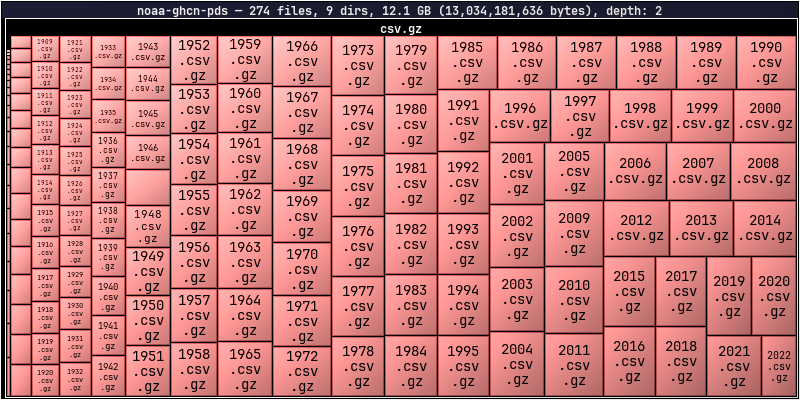
dirplot map s3://noaa-ghcn-pds --no-sign --depth 2
Scan any GitHub repository using the Git trees API. File sizes come from blob metadata — no file content is downloaded. No extra dependency is required; dirplot uses urllib from the Python standard library.
# github:// scheme
dirplot map github://owner/repo

# Specific branch, tag, or commit SHA
dirplot map github://owner/repo@dev

# Full GitHub URL (also accepted)
dirplot map https://github.com/owner/repo/tree/main

# Save to file
dirplot map github://FastAPI/FastAPI --output fastapi.png --no-show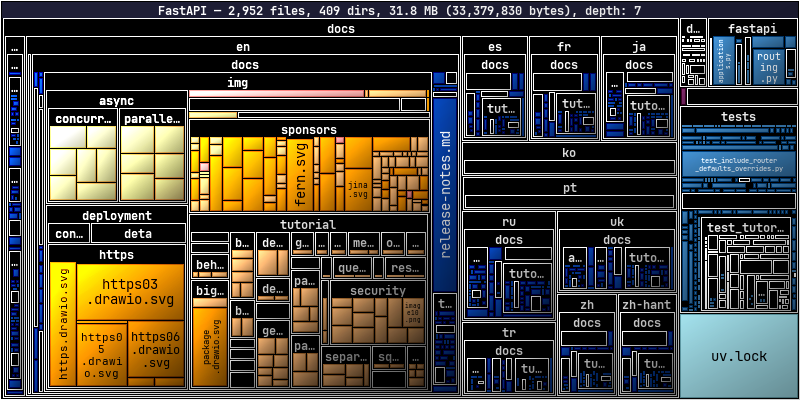
dirplot map github://FastAPI/FastAPI
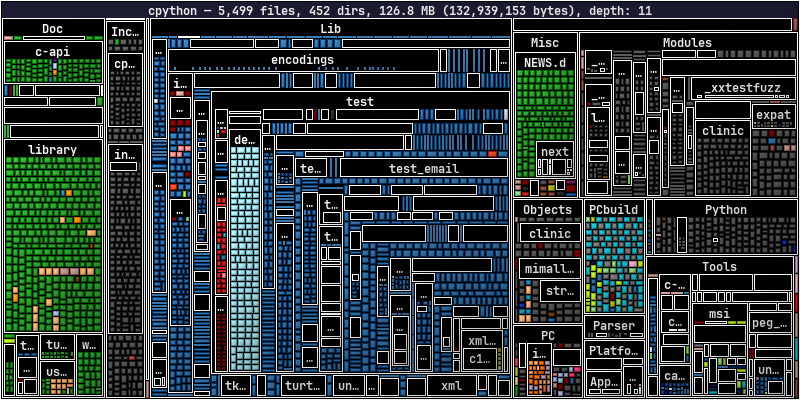
dirplot map github://python/cpython
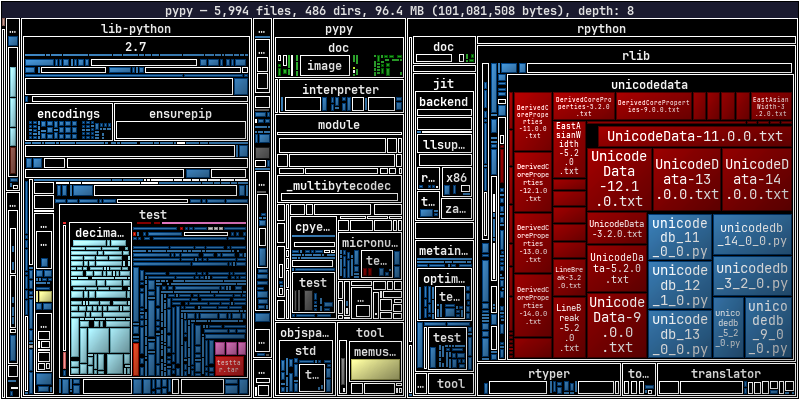
dirplot map github://pypy/pypy
A token is not required for public repositories under normal use. Each scan makes 1–2 API calls, and GitHub allows 60 unauthenticated requests per hour per IP. A token is needed when:
- Scanning private repositories
- Running in CI/CD where many processes share the same IP
- Scanning repeatedly and hitting the unauthenticated rate limit
Option 1 — gh CLI (easiest): authenticate once and dirplot picks up your credentials automatically:
gh auth login
dirplot map github://my-org/private-repo
Option 2 — environment variable:
export GITHUB_TOKEN=ghp_…
dirplot map github://my-org/private-repo
Option 3 — token file:
dirplot map github://my-org/private-repo --github-token-file ~/.github-tokenToken resolution order: --github-token-file → $GITHUB_TOKEN → gh auth token.
| Flag | Default | Description |
|---|---|---|
--github-token-file |
$GITHUB_TOKEN |
File containing personal access token |
--depth |
unlimited | Maximum recursion depth |
--exclude |
— | Repo-relative path to skip (repeatable) |
- Dotfiles and dot-directories (
.github,.env, etc.) are skipped, consistent with local scanning behaviour. - If the repository tree exceeds GitHub's API limit (~100k entries), the response will be truncated. dirplot prints a warning and renders what was returned. Use
--depthto avoid this. - The
--depthflag here applies to the in-memory tree built from the API response, not to the number of API calls (the full flat tree is always fetched in one request).
Note: The programmatic Python API is still evolving and may change between releases without notice. Pin a specific version if you depend on it. The CLI interface is stable.
from dirplot.github import build_tree_github
from dirplot.render_png import create_treemap
import os

root, branch = build_tree_github(
    "pallets", "flask",
    token=os.environ.get("GITHUB_TOKEN"),
    depth=4,
)
print(f"Branch: {branch}, size: {root.size:,} bytes")
buf = create_treemap(root, width_px=1920, height_px=1080)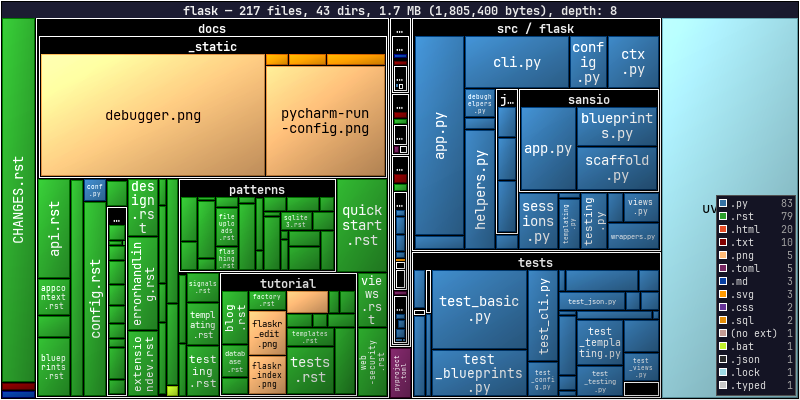
dirplot map github://pallets/flask --legend
Scan a Google Drive using the gog CLI — a unified Google Workspace CLI that handles OAuth2 authentication. No extra Python dependency is needed; dirplot shells out to gog the same way the Docker backend uses docker exec.
# Install gog
brew install gogcli   # macOS

# Authenticate once (opens browser for OAuth2)
gog auth# Scan your entire Drive (My Drive + shared drives)
dirplot map gdrive://
# Scan with depth limit (recommended for large drives)
dirplot map gdrive:// --depth 3
# Scan a specific folder by its Drive folder ID
dirplot map gdrive://1BxiMVs0XRA5nFMdKvBdBZjgmUUqptlbs74OgVE2upms
# Save to file
dirplot map gdrive:// --depth 4 --output drive.png --no-show
# Display inline in terminal
dirplot map gdrive:// --depth 3 --log-scale 4 --inlineTo find a folder ID: open the folder in Google Drive in your browser — the ID is the long string at the end of the URL (https://drive.google.com/drive/folders/<FOLDER_ID>).
- Google-native formats (Docs, Sheets, Slides, Forms, …) have no byte size in the Drive API. dirplot shows them as 1 byte so they remain visible as tiles rather than disappearing.
- Authentication is handled entirely by
gog. Rungog authonce; tokens are cached and refreshed automatically. - Large drives can contain tens of thousands of files. Use
--depth Nto limit the scan until you have a feel for the size. - Dotfiles and dot-directories are skipped, consistent with local scanning behaviour.
| Flag | Default | Description |
|---|---|---|
--depth |
unlimited | Maximum recursion depth |
--exclude |
— | Path pattern to skip (repeatable) |
--log-scale |
0 (off) | Useful when a few large files dominate the layout |
Note: The programmatic Python API is still evolving and may change between releases without notice. Pin a specific version if you depend on it. The CLI interface is stable.
from dirplot.gdrive import build_tree_gdrive
from dirplot.render_png import create_treemap

# Scan from Drive root
root = build_tree_gdrive(depth=3)

# Scan a specific folder
root = build_tree_gdrive("1BxiMVs0XRA5nFMdKvBdBZjgmUUqptlbs74OgVE2upms", depth=5)

buf = create_treemap(root, width_px=1920, height_px=1080)Scan a running Docker container's filesystem using docker exec. No extra dependency is required beyond the docker CLI being in PATH.
# docker://container/path — slash separator
dirplot map docker://my-container/app

# docker://container:/path — colon separator (both forms accepted)
dirplot map docker://my-container:/app

# Cap depth, save to file
dirplot map docker://my-container:/usr --depth 3 --output container.png --no-show

# Real example
docker run -d --name pg-demo -e POSTGRES_PASSWORD=x postgres:17-alpine
dirplot map docker://pg-demo:/usr --inline
docker rm -f pg-demo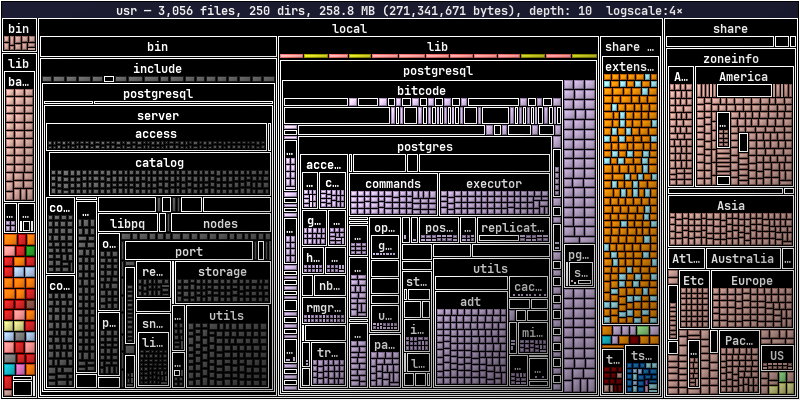
dirplot map docker://pg-demo:/usr --log-scale 4
dockerCLI inPATH- The container must be running (
docker psshould list it) - The container image must have a
findbinary (true for all common Linux base images)
- Symlinks are skipped.
- Dotfiles and dot-directories are skipped, consistent with local scanning behaviour.
findis first attempted with GNU find's-printffor efficiency; if that fails (BusyBox/Alpine images), a POSIXsh+statfallback is used automatically.
| Flag | Default | Description |
|---|---|---|
--depth |
unlimited | Maximum recursion depth |
--exclude |
— | Absolute path inside the container to skip (repeatable) |
Note: The programmatic Python API is still evolving and may change between releases without notice. Pin a specific version if you depend on it. The CLI interface is stable.
from dirplot.docker import build_tree_docker
from dirplot.render_png import create_treemap

root = build_tree_docker("my-container", "/app", depth=5)
buf = create_treemap(root, width_px=1920, height_px=1080)Scan a running Kubernetes pod's filesystem using kubectl exec. No extra dependency is required beyond kubectl being in PATH and configured to reach a cluster.
# Default namespace, slash separator
dirplot map pod://my-pod/app

# Default namespace, colon separator
dirplot map pod://my-pod:/app

# Explicit namespace via URL
dirplot map pod://my-pod@staging:/app

# Explicit namespace via flag (overrides @namespace in URL)
dirplot map pod://my-pod:/app --k8s-namespace staging

# Multi-container pod — pick a specific container
dirplot map pod://my-pod:/app --k8s-container sidecar

# Cap depth, save to file
dirplot map pod://my-pod:/usr --depth 3 --output pod.png --no-show

# Real example (minikube)
minikube start

kubectl run pg-demo --image=postgres:17-alpine --restart=Never \
  --env POSTGRES_PASSWORD=x
kubectl wait --for=condition=Ready pod/pg-demo --timeout=90s

dirplot map pod://pg-demo/var/lib/postgresql --inline

kubectl delete pod pg-demo --grace-period=0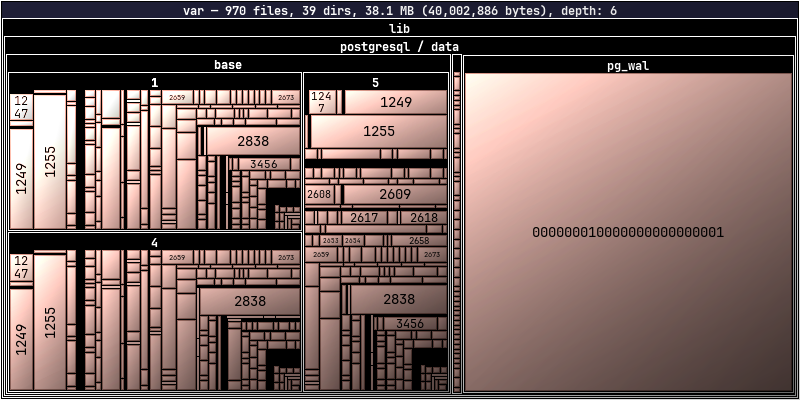
dirplot map pod://pg-demo/var/
kubectlCLI inPATH, configured for a reachable cluster- The pod must be in
Runningstate - The pod image must have a
findbinary (true for all common Linux base images)
- Symlinks are skipped.
- Dotfiles and dot-directories are skipped, consistent with local scanning behaviour.
- Unlike Docker scanning,
-xdevis intentionally omitted so that mounted volumes (emptyDir, PVC, etc.) within the scanned path are traversed — this is the common case in k8s where images declareVOLUMEentries that k8s always mounts separately. findis first attempted with GNU find's-printf; if that fails (BusyBox/Alpine images), a POSIXsh+statfallback is used automatically.
| Flag | Default | Description |
|---|---|---|
--k8s-namespace |
current context default | Kubernetes namespace |
--k8s-container |
pod default | Container name for multi-container pods |
--depth |
unlimited | Maximum recursion depth |
--exclude |
— | Absolute path inside the pod to skip (repeatable) |
Note: The programmatic Python API is still evolving and may change between releases without notice. Pin a specific version if you depend on it. The CLI interface is stable.
from dirplot.k8s import build_tree_pod
from dirplot.render_png import create_treemap

root = build_tree_pod(
    "my-pod",
    "/app",
    namespace="staging",
    container="main",
    depth=5,
)
buf = create_treemap(root, width_px=1920, height_px=1080)Render a single commit snapshot or replay a repository's commit history as an animated treemap. Each commit becomes one frame; changed tiles receive colour-coded highlight borders (green = created, blue = modified, red = deleted). Works with local repositories, github:// URLs, and full HTTPS GitHub URLs — remote repos are cloned into a temporary directory and removed on exit.
Requires
gitonPATH.ffmpegis required for MP4 output.
Without --range or --period, a single PNG of the last commit (HEAD, or the ref specified with @ref) is produced.
# Snapshot of HEAD in current repo
dirplot git . --output snapshot.png

# Specific branch or tag — display inline in terminal
dirplot git .@my-branch --inline
dirplot git .@v1.0 --output v1.png

# GitHub repo at a specific tag
dirplot git github://owner/repo@v1.0 --inline
dirplot git https://github.com/owner/repo@v1.0 --output snapshot.pngAdding --range or --period triggers animation mode — an APNG (.png) or MP4 (.mp4) with one frame per commit.
A bare branch or tag name (--range main) animates all commits on that branch.
The A..B syntax animates only commits reachable from B but not from A (standard git range).
# All commits on main → animated PNG
dirplot git . --range main --output history.png

# All commits on main — MP4 with time-proportional frame durations
dirplot git . --range main --total-duration 30 --output history.mp4

# Only the last 50 commits on main
dirplot git . --range main --last 50 --total-duration 30 --output history.png

# Tagged release range, MP4 output, log scale
dirplot git github://openclaw/openclaw --range 871e8882..8445c9a5 \
  --log-scale 4 --size 1920x1080 --output openclaw.mp4

# First 10 commits of a tagged range
dirplot git github://owner/repo --range v1.0..v2.0 --first 10 --output history.png

# Last 10 commits of a tagged range
dirplot git github://owner/repo --range v1.0..v2.0 --last 10 --output history.png

# All commits in the last 30 days
dirplot git . --period 30d --output history.mp4

# Commits on main that fall within the last 3 days of main's history
dirplot git github://owner/repo --range main --period 3d --output history.png

# Fade out to black at the end
dirplot git . --period 7d --total-duration 20 \
  --fade-out --fade-out-duration 2.0 --output history.mp4
dirplot git https://github.com/steipete/birdclaw --size 1000x600 --range main -o steipete-birdclaw.mp4
To animate real-time filesystem activity (e.g. a build or test run), use dirplot watch + dirplot replay:
# 1. Record events while you work
dirplot watch . --event-log events.jsonl

# 2. Replay as a video (Ctrl-C watch first)
dirplot replay events.jsonl --output timelapse.mp4 --total-duration 30| Flag | Description |
|---|---|
--range |
Git revision range (e.g. HEAD, main~50..main, v1.0..HEAD). Triggers animation |
--period |
Relative time filter: 30d, 24h, 2w, 1mo, 30m. Triggers animation |
--first N |
Keep only the first N commits after applying range/period |
--last N |
Keep only the last N commits after applying range/period |
--total-duration |
Target total animation length in seconds (time-proportional frame durations) |
--frame-duration |
Fixed frame duration in ms when --total-duration is not set (default: 1000) |
--inline |
Display single-frame output directly in the terminal (not compatible with animation) |
See CLI.md — dirplot git for the full options reference.